How to Report Inappropriate Bots on Character.AI and Get Them Taken Down
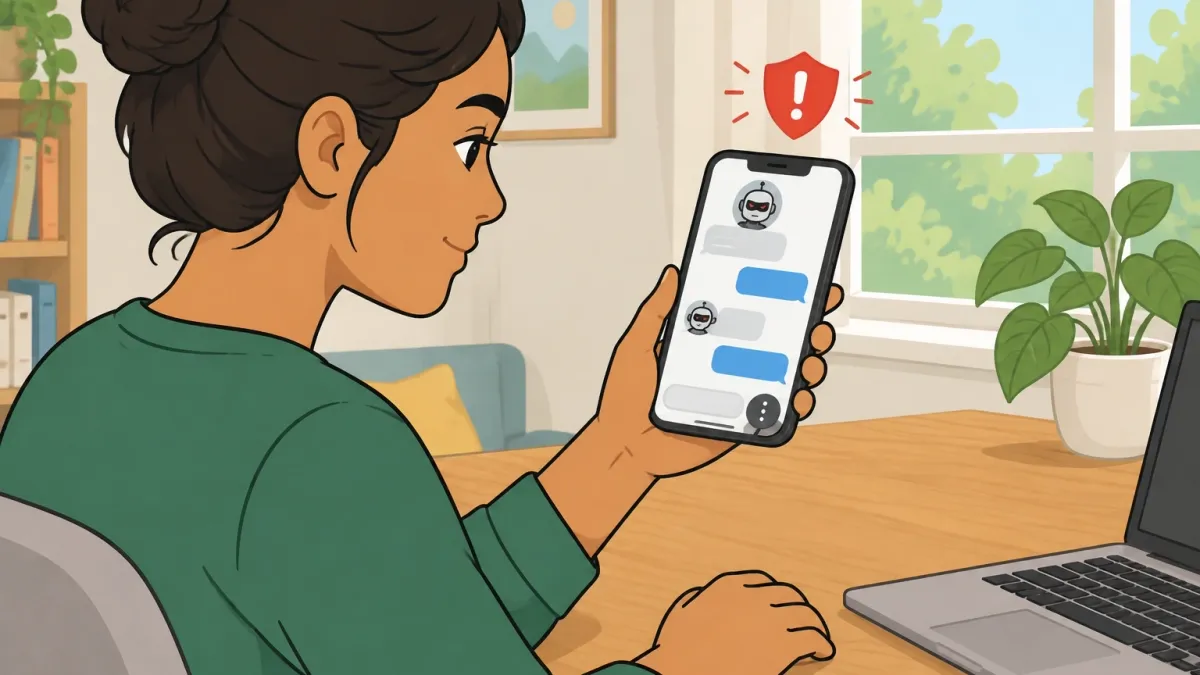
If you've landed here, you've likely encountered a bot that crossed a line — maybe it sexualized a minor, encouraged self-harm, or tried to manipulate you. Here's the short of it: open the bot's profile, tap the three-dot menu at the top right, choose Report, pick the violation type, and submit. Total time: under 20 seconds. For anything serious, file a detailed Trust and Safety ticket afterward. That's the universal path. Everything below walks through exactly how to do it, what happens next, and what to do if the system doesn't respond.
What Counts as an Inappropriate Bot
Character.AI's policies ban certain content regardless of whether a bot was made yesterday or has been around for months. The reportable categories, based on what the platform has published and enforced, include: sexual content involving minors, non-consensual sexual scenarios, encouragement of self-harm or suicide, glorification of violence, hate speech, deceptive impersonation of real people, and AI-generated adult media that depicts a real person without consent. The key thing about these categories is that they're written into the platform's terms of service. The "inappropriate" label isn't a moral judgment or a question of taste. If content falls into one of these categories, it is, by Character.AI's own rules, a violation. If a bot just makes you uncomfortable, it may not be a violation. This distinction matters because the reporting system depends on separating "philosophically wrong" from "policy-violating." I've seen users report a bot for behaving rudely and get rejected because being a jerk isn't a policy violation. You want to report on policy grounds, not on vibes. This isn't just a theoretical concern. A Stanford Medicine risk assessment found that it was disturbingly easy to elicit inappropriate dialogue from AI companions — including sexual content, self-harm encouragement, and violent roleplay — even when the bots were supposedly restricted. In testing, researchers posing as teenagers were able to get chatbots to engage in explicit or harmful conversations without much resistance. So if you've had an interaction like this, you're not alone, and the problem is documented.
The Fastest Way to Report a Bot
The report button lives in the three-dot menu on the bot's profile page, top right corner. Tap it, and you get a popup that asks which policy you believe the bot violates. Here's the exact path:
- Open the bot's profile from your chat list or search results.
- Tap the three-dot icon at the top right.
- Tap "Report."
- Select the violation category that fits — sexual content, self-harm, impersonation, and so on.
- Submit.
You don't need to be inside an active conversation to do this. The report goes straight into the moderation queue without you having to exchange another message. That's useful when the bot itself is the problem and you'd rather not engage with it further. If you're on desktop, the path is identical. The three-dot button sits in the same position, and the form looks the same whether you're on mobile or a web browser.
Reporting Individual Messages Inside a Chat
Sometimes the violation isn't visible on the bot's profile — it only appears once you're a few messages into the conversation. A bot might present as family-friendly in its greeting, then start steering into sexual territory or making concerning comments about the user's mental state. In the chat window, you can long-press or right-click any individual message that contains the violating content. A menu pops up with a "Report Message" option. Tap it. Character.AI gives you a text box to add extra context. Use that space. Saying "this bot initiated sexual roleplay after I stated I was a minor" is far more useful than "this message is wrong, please remove it." The reviewer on the other end has probably seen hundreds of reports that day; your context is what tells them whether this is a one-off bad generation or part of a pattern. This is also the right way to flag conversations that went somewhere dangerous. A single message report routes to the safety team as a snippet of evidence, not just a complaint. If the bot crossed a serious line — self-harm, non-consensual scenarios, grooming — don't rely on the in-chat report alone. Move to a formal ticket.
Filing a Trust and Safety Ticket for Serious Violations
The in-app report button is the standard channel, but it's not the only one. If you have evidence of a serious violation, you should file a Trust and Safety ticket through Character.AI's support portal. Here's what to include in the ticket:
- Direct link to the bot's page — this matters more than everything else combined. Without a link, the reviewer has to search by name, and for common names, that search could return dozens of similar bots.
- Screenshots of the offending messages — capture the full conversation, not just the single line that upset you. Context helps reviewers understand whether the bot steered the conversation or was led there.
- The bot's exact name and the creator's username — names get mistyped, but creators sometimes change usernames. Having both helps.
- A plain-language explanation — "this bot encourages self-harm" or "this bot roleplays sexual scenarios with a character described as underage" is clear and direct. Avoid vague language like "it's creepy" or "this is messed up."
- Timestamps — include the date and time of the violation if you have them.
In the ticket form, select "Safety & Moderation" as the category. Paste the bot's URL and attach screenshots in the description field. I know what you might be thinking: "Why is a ticket necessary if I already used the report button?" Because the report button is the fire alarm, and the ticket is the emergency call. They go to the same team, but the ticket carries structured, citable information. It's harder for a reviewer to dismiss a ticket with a direct link, three screenshots, and a clear policy reference.
What Happens After You Report
Now for the part nobody talks about: what actually happens after you click submit. Because honestly, the platform isn't transparent about this, and the silence leads a lot of people to assume nothing happened. Here's the realistic picture: - Acknowledgement: If you filed a ticket through the support portal, you'll get an auto-confirmation almost immediately. Report-button submissions often don't generate a receipt. - Review queue: Reports typically get pulled for review within 24 to 72 hours. The actual review takes anywhere from a few days to a couple of weeks, depending on severity and current volume. - No notification of the outcome: Here's the uncomfortable part — you generally will not be notified when a bot you reported gets removed. The team might email you if they need more information, but they won't send a "we took action" message in most cases. - The bot stays live during review: If the bot is online, it remains visible until the review finishes. That's a deliberate choice — the team doesn't want to remove content without a full look — but it means you might see a problematic bot up for days after you reported it. This "black box" has drawn heavy criticism. From the outside, a lack of feedback is indistinguishable from silence. I've had reports where a bot I flagged stayed active for two weeks before disappearing. I've had others taken down within 24 hours. The variance seems to depend on the violation type and how seriously the team is treating that category at the moment. Based on what the platform has stated publicly, the moderation team is working through a high volume of reports, and some categories are naturally prioritized ahead of others. Content involving minors gets escalated fastest. Credible self-harm threats get the same treatment. Lower-severity cases might sit in the queue longer than anyone would like.
Block vs. Report and Block
Sometimes you just want a bot out of your feed. You don't necessarily care whether the platform removes it, you just don't want to see it anymore. Blocking is the right move for that. But blocking and reporting aren't the same thing, and you can do both. | Issue | Report | Block | Report + Block | |---|---|---|---| | Removes bot from your feed | No | Yes | Yes | | Notifies the creator | No | No | No | | Alerts moderation team | Yes | No | Yes | | Immediate effect on bot availability | None — stays live until moderation acts | Stops appearing in your feed, stays visible to others | Same as block | | Builds evidence for the platform | Yes — screenshots and links help | No | Yes | | Best used when | The bot violates a written policy | The bot bothers you but isn't policy-breaking | The bot violates policy and you don't want to see it again | I've found that blocking alone is fine for bots that are annoying but harmless. But if a bot crosses a real line, reporting and blocking together is the smartest move. You get the bot out of your space immediately, and you still put the violation on the platform's radar.
When Character.AI Won't Act
Sometimes you do everything right. You report. You block. You file a ticket. And the bot stays up. Weeks pass. Nothing changes. This is the moment most people give up. But this is also the moment you have options beyond the platform. Before I list them, a quick reality check: Character.AI's moderation has historically been slow, and that's not an opinion — it's a pattern documented in news coverage and legal filings. One widely reported case involved a minor whose family filed a lawsuit after their child's suicide, which was linked to intense emotional attachment to a Character.AI chatbot. Lawsuits filed by state attorneys general have cited similar concerns, including the platform's collection of user data and its promotion of false medical claims. When internal reporting fails, the problem isn't necessarily that nobody read your report. It's that the system itself is struggling to keep up with the volume. Here's what you can do when Character.AI won't act:
- Escalate to external authorities. If a bot involves a child, a credible threat of self-harm, or criminal content, you can report it to the National Center for Missing and Exploited Children (NCMEC) or to your local law enforcement. For adult content, the FTC has an online complaint system for deceptive practices.
- Contact your state's attorney general. State AGs have opened investigations into AI companion platforms over exactly these issues. A formal complaint from a parent or guardian can trigger a civil investigation. You don't need a lawyer to file one.
- Reach out to the press. Investigative journalists have covered AI companion risks extensively. A well-documented case with screenshots and a clear timeline can attract attention that the platform can't ignore — but only use this path for serious violations, and do it after you've exhausted internal reporting.
- Support policy pressure. In California, lawmakers have introduced bills like AB 1064, which would require AI companion companies to assess their products for risks of harm and make their safety practices more transparent. If you live in a state considering similar legislation, contacting your representative about a specific bot you found makes your concern concrete.
On a personal note, I understand why the "don't bother, they won't act anyway" attitude is tempting. But I've also seen how quiet the silence feels when someone reports a bot that encourages self-harm and nothing visibly happens for a month. If you've done your due diligence — report, ticket, escalation — then you've done what you can. The system has the responsibility to respond.
Common Questions About Reporting Bots, Answered
Can the bot creator see that I reported their bot? No. Character.AI does not disclose who reported a bot to its creator. If the bot gets removed, the creator will know a report happened — because their bot went away — but they won't know who filed it. The only edge case is if you've directly messaged the creator with the chat log in which the violation happened. Otherwise, reports are anonymous. Is there a way to report an entire user profile at once? No formal profile-level report function exists in the current interface. But you can link multiple bots from the same creator in a single Trust and Safety ticket. Once a reviewer opens an investigation, they can see the creator's full catalog of bots and act on all of them if warranted. How many reports does a bot need before it gets removed? Character.AI doesn't publish a threshold, and it would be unusual for any platform to do so. The system is designed to prevent users from gaming it by mass-reporting a bot they simply dislike. In practice, one well-documented report with a direct link, screenshots, and a clear policy reference is worth more than a hundred low-context reports. If a bot genuinely violates policy, a single good report often gets it removed. If it doesn't, more reports won't change the outcome. Can I report a bot that pretends to be a real person — like my child or my friend? Yes. Impersonation of private individuals is against policy, and reporting it is straightforward. For public figures, parody and fan representations are more complex — the policy generally allows satire but prohibits deceptive impersonation that could mislead people into thinking the real person is actually chatting with them. What details make my report more likely to succeed? The single most important thing is the direct link to the bot's page. Without it, the reviewer has to go hunting. Second is screenshots of the offending message and the bot's description — capture both, because the description might show the bot was designed to violate policy from the start. Third is a clear, plain-language explanation of which policy you believe is being broken. "This bot roleplays sexual scenarios with a character who is described as a minor" is a policy claim. "This is gross" is not. Will I get banned if I accidentally report a bot that doesn't actually violate anything? No. One mistaken report won't get you banned. The platform understands that people interpret policies differently, and accidental reports are common. You only run into trouble if you're deliberately mass-reporting bots in bad faith or filing false reports against a creator with malicious intent. You now have the complete reporting system in front of you. The short version: use the in-app button for fast, anonymous reports, use the Trust and Safety ticket for serious violations, and escalate to external authorities when neither gets a response. That's the difference between reporting something and getting it taken down.