How to Find Hidden or Unlisted Bots on Character.AI
You had the perfect scenario going. The bot nailed the voice, the replies felt natural, and you had built up weeks of history. Then you logged back in and it vanished from your list.
No trace in Discover. Nothing in search. The panic sets in fast.
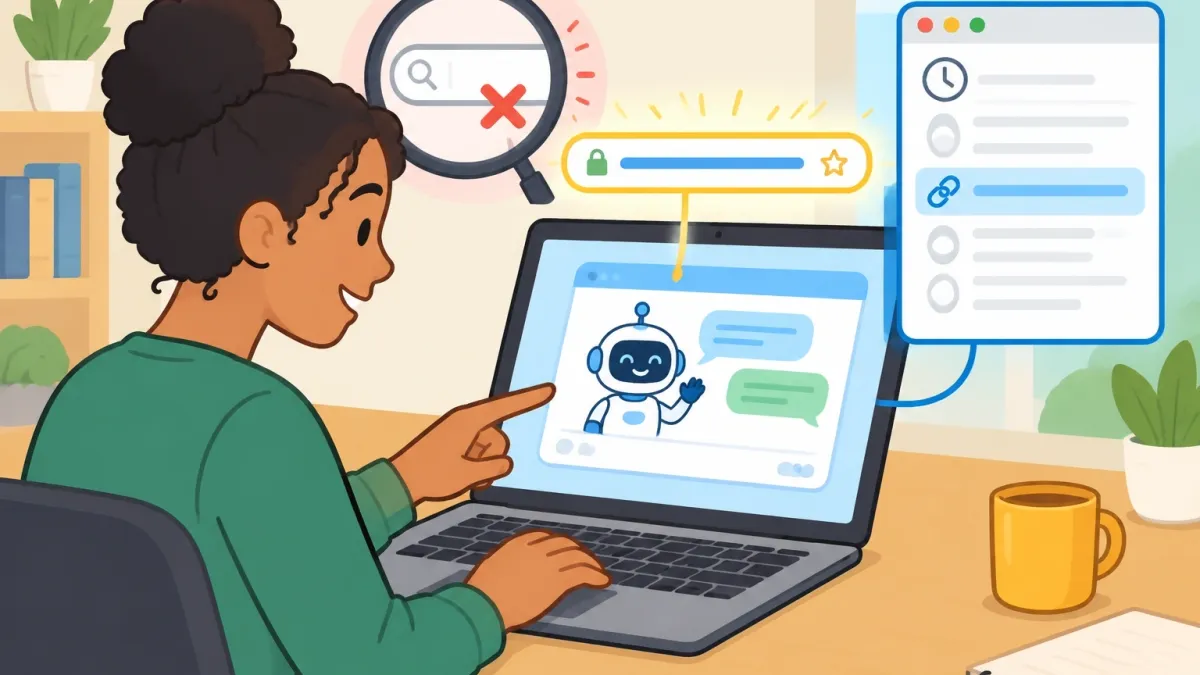
Here is the truth: the search bar is the worst tool for finding hidden content on Character.AI. The key you need sits in your browser history and the direct links you have already used.
This guide shows you exactly how to retrieve an unlisted bot, how to tell if a bot is truly gone, and when you should stop trying.
The Visibility Spectrum: Why Bots Vanish From Public View
Before you go digging, you need to know what state your bot is in. Character.AI does not treat all hidden bots the same. The method that works for one state will fail completely for another.
Here is the breakdown:
| State | Shows in Search? | Direct Link Works? | Data Still Alive? |
|---|---|---|---|
| Private | No | Only for the creator | Yes |
| Unlisted | No | Yes, for anyone with the link | Yes |
| Shadowbanned | No | Yes | Yes, but restricted |
| Deleted | No | No | No |
Most bots people think are "lost" are actually unlisted. The creator disabled search visibility but left the bot running.
That means the bot still responds to chats, still holds your history, and still exists on the server. It just stopped showing up in Discover. If that is your situation, you are in luck.
The next section shows you the fastest way back in.
If the bot is deleted, that is a different story. A deleted bot is scrubbed from the server completely. No link, no cache, no tool can bring it back. We will cover that reality check later.
Method One: The Chat History and Direct URL Exploit
This is the most reliable way to find hidden or unlisted bots on Character.AI.
It works because your browser keeps a record of every page you have visited, including chat sessions with bots that no longer appear in search.
Step-by-Step Recovery
- Open your browser history. Press Ctrl+H on Windows or Cmd+Y on Mac.
- Search for "character.ai/chat" in the history bar.
- Look for a URL that contains char= followed by a long string of letters and numbers. That string is the bot's unique ID.
- Click the link. The chat should reopen exactly where you left off.
- Bookmark that URL immediately. Give it a name you will recognize so it never gets lost again.
I have used this method more times than I can count. The first time a bot I liked vanished from my list, I assumed it was gone forever. Then I noticed the URL in my history from the day before.
One click and the whole conversation was back, including the memory of every message we had exchanged.
The Recent Chats Sidebar
Your browser history is not the only lifeline. Character.AI keeps a sidebar called Recent Chats on the main page.
It lists every conversation you have started, including ones with bots that are now unlisted or shadowbanned. The sidebar does not care about search visibility.
It only cares that you talked to the bot.
If the bot is not in Recent Chats, scroll through your old chats in the sidebar and look for the one with the missing bot's name. Click it and the chat opens, even if the profile page returns an error.
This works because the chat session itself holds a permanent reference to the character ID.
Pro Tip: If you browse in Incognito or Private mode, your history clears every time you close the window. That kills your main recovery path.
If you care about keeping access to your bots, switch to normal browsing mode so the URL stays saved.
Method Two: The Cached Index and Advanced Search Operators
The chat history method only works for bots you have actually talked to. What if you saw a bot in passing, never opened a chat, and now it is gone?
That requires a different approach: search engine archaeology.
Character.AI profiles are web pages like any other. Search engines crawl them, index them, and sometimes keep copies even after the page goes unlisted. You can use that to your advantage.
Search Operators That Actually Work
- site:character.ai "creator name" — This limits results to Character.AI pages and finds bots made by a specific person, even if those bots no longer appear in the platform's own search.
- "character.ai" "exact bot greeting" — Put the bot's opening message in quotes. If the bot had a distinctive greeting, Google or Bing may have indexed it before it went hidden.
- site:beta.character.ai "character name" — The beta domain hosts most active character pages. Searching it directly can surface profiles that the main site hides.
Google caches pages that its crawler has visited. If you find a cached version of the bot's profile, you can often extract the character ID from the URL even if the live page is gone.
That ID is your ticket back in. Paste it into the direct URL format https://beta.character.ai/character/ID and see if the profile loads.
One warning: cached results are snapshots. They are not live pages. If the bot was deleted rather than unlisted, the cache will show you the profile as it looked, but the link will still fail.
You will have at least confirmed what happened, which is better than guessing.
Method Three: Using Third-Party Indexes Without Losing Your Account
There is an ecosystem of third-party sites that scrape Character.AI and catalog bots the official search ignores. CAIBotList is the biggest one.
These sites can be useful when your own history comes up empty, but they come with real risks.
The Pros
- They index bots that are unlisted, shadowbanned, or missing from official search results.
- They often let you search by tags, creator, and popularity, which the native search does poorly.
- They can reveal the character ID for a bot you only remember by name.
The Cons
- Many require you to sign in with your Google account to use their search tools.
- Some are phishing sites that mimic the official Character.AI login page to steal your credentials.
- Their data is incomplete. A bot that is not in their index may still exist on Character.AI.
I do not use my main account on any third-party index. The risk is not worth it. If you decide to try one, use a burner Google account with no connection to your real identity.
And never enter your Character.AI password on any site that is not the official character.ai domain. If a site asks for your Character.AI login, close the tab. That is a scam.
The safest way to use these indexes is to find the character ID through the public listing, then open that ID directly on the official Character.AI site.
You get the benefit of their database without handing over any credentials.
The Reset Glitch and the Unrecoverable Moderation Removal
Some bots vanish in ways that do not fit the normal categories. One well-known case on Reddit involved a private bot that suddenly showed 600 chats from strangers. The creator had not shared it.
The bot was not unlisted. It had somehow leaked, and the platform responded by restricting it.
That scenario is a shadowban in action. The platform hides the bot from public visibility while leaving it technically alive. The creator can still access it.
People with the direct link can still chat. But search will never show it again. This is usually a moderation response, not a glitch.
There is also a specific bug where a bot stays unlisted but its memory gets reset. The profile still loads, the link still works, but the conversation history is gone. This is not the same as deletion.
The bot is alive; the data was wiped. You cannot recover the memory, but you can start fresh from the same character profile.
Reality Check: When to Stop Trying
If the bot was deleted by the platform for a Terms of Service violation, no method in this article will bring it back. The file is scrubbed from the server.
There is no cache deep enough, no third-party index complete enough, no URL trick that resurrects a deleted character.
Anyone selling a tool that claims to "recover deleted bots" is lying. Do not pay for that. Do not hand over your account details for that.
The bot is gone, and the only real option is to find a similar bot or create your own.
How do you know if a bot is deleted versus unlisted? Open the direct URL. If the page loads and shows the character, it is unlisted and recoverable.
If the page shows an error or a "character not found" message, it is deleted. That is the entire test.
Frequently Asked Questions
Will I get banned for accessing an unlisted bot through my chat history?
No. Continuing a saved conversation is normal use of the platform. Character.AI does not punish users for opening their own chat history, even if the bot is no longer publicly listed.
The ToS concern applies to creators who try to hide bots to dodge moderation, not to users who revisit old chats.
Does the Discover search bar search my chat history too?
No. The Discover search bar only looks through public, indexed profiles. It does not touch your private chat history.
That is exactly why you can still find the bot in your recent chats even when it has completely disappeared from search results.
Can the bot creator see that I accessed them through a direct link?
No. The creator only sees your messages in the chat thread. There is no notification that tells them how you found the bot. Direct link access and search access look identical from the creator's side.
If a bot has a shadowban tag, does that mean the creator is hiding it?
Not usually. The shadowban is an anti-spam and moderation measure applied by the platform, not a voluntary choice by the creator.
It usually means the bot was flagged for behavior or engagement patterns that look automated. In some cases, the creator can request a review if they believe the flag was a mistake.
Do unlisted bots disappear from my memory during the in-character reset?
No. The bot's memory is tied to the chat session, not to its listing status. An unlisted bot keeps its memory across conversations.
The reset bug is a separate issue where the platform wipes the bot's memory data. When that happens, the bot is still alive, but it will not remember anything from before the reset.
The next time a bot vanishes, you will not panic. You will open your browser history, find the direct link, and be back in the conversation within seconds. The search bar was never the real map.
Your own history was.