Give your AI character a custom voice without hiring a voice actor
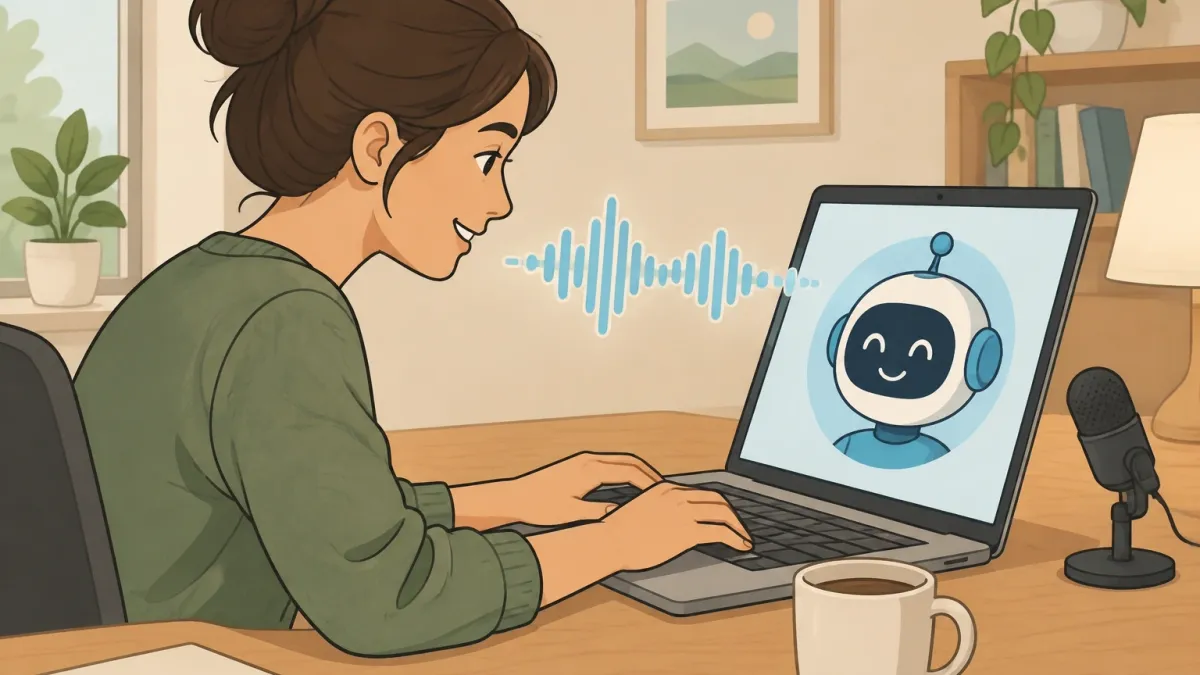
You built a character. It has a name, a backstory, a way of talking in text. Then you hit the moment where it speaks out loud and it sounds like every other chatbot on the internet.
The default voices work, but they belong to everyone. You want yours to sound like your character.
The honest answer to how to add a custom voice for your AI character is that there isn't one universal button.
There are three routes, and picking the right one decides how much work you'll do and how good the result can be:
- Cloning is for characters based on a specific real person — yourself, a friend who gave permission, or a voice actor you're allowed to copy. You feed the tool samples of that person speaking, and it learns their sound.
- Text-design is for fully fictional characters. You describe the voice with words, and the tool builds it from scratch. No audio needed at all.
- Library transfer is for quick results. You pick an existing voice from a library and assign it to your character. It's the fastest route, but you can't customize it as deeply.
I've used all three for different projects. I cloned a voice for a chatbot based on a friend who gave me permission. I text-designed a voice for a fantasy NPC with a slow drawl and a rasp.
And I've pulled library voices when I needed something working in ten minutes. This article walks all three routes from raw audio to the moment your character actually speaks.
Pick the right route before you start
Most people skip this decision and pay for it later.
They try to clone a voice when they should have designed one, or they buy credits for a library voice when they already had perfect sample audio sitting on their phone.
This table settles it in under a minute.
| Route | Best when | What you need | Time to first result |
|---|---|---|---|
| Cloning | The character is based on a real person, yourself, or a voice you have consent to copy | 1–3 minutes of clean audio of that person speaking | About 10 minutes after the samples are ready |
| Text-design | The character is fictional and has no source audio | A written description with physical voice details | A few minutes |
| Library transfer | You need a working voice fast, or you're testing different personalities | Nothing but a library to browse | Seconds |
There's also a platform reality you should know before you go further.
Character.AI and similar chat platforms have built-in voice options, but they don't let you upload a custom clone directly from their web app or mobile app.
The creation work happens in a dedicated voice tool, usually ElevenLabs, which has become the standard hub.
You make the voice there, then connect it to your target platform — a custom chatbot, a Discord bot, a game, or a browser extension.
The integration section later in this article covers that bridge in detail.
Record a sample that won't get rejected
I'm putting this section before any tool tutorial for one reason: this is where most people fail. They open a voice tool, upload a recording, and get a voice that sounds like it's underwater.
Then they blame the tool. The tool was fine. The sample was the problem.
The quality of a cloned voice comes almost entirely from the source audio. Here are the rules that actually matter.
How much audio you need
Aim for 1 to 3 minutes of clean speech. Thirty seconds can work in a pinch, but the quality drops noticeably — the AI starts guessing at sounds it never got to hear.
If you're cloning yourself, record a few minutes while telling a story or describing something in detail.
If you're cloning a character from existing footage, you need at least a minute of them talking without music or sound effects underneath.
What the recording environment does
You don't need a studio to get a usable sample, but you do need a quiet room.
My first clone came from a smartphone voice memo recorded in a living room with a washing machine running in the background. The result sounded like the character was speaking through a pillow.
I recorded the same person again in a walk-in closet with a heavy blanket over the door, and the difference was enormous.
- Record in a small room with soft surfaces. A bedroom is fine. Tiled bathrooms are the worst possible choice — the echo ruins everything.
- Keep the microphone about a hand's width from the mouth. Too close and you get popping sounds on P and B letters.
- Make sure nothing else makes noise. Fans, air conditioning, traffic, and computer hum all get picked up and turned into a muddy floor of sound.
- A USB condenser microphone is better than a phone, but a phone in a quiet room beats an expensive mic in a loud room every time.
What the speaker should say
Don't read a word list in a flat tone. The AI learns patterns from what it hears, so give it a range of real speech:
- Excitement — talking about something that genuinely got them animated
- Calm, low-energy speech
- Questions with rising intonation
- At least a couple of long, flowing sentences, not just short phrases
If the target person has a distinctive laugh, a sigh, or a verbal tic, let it happen naturally. Those little quirks are what turn a generic AI voice into that specific person.
File requirements that actually matter
- MP3 or WAV format
- At least 22kHz sampling rate — most phone recordings exceed this, so it's rarely a problem
- No background music at all, even quietly
- No overlapping voices, only one person talking at a time
- No reverb-heavy rooms, no tinny phone-call audio, no game footage with effects underneath
What if your only source is short? If you have 15 seconds of a voicemail or a few lines from an old recording, cloning alone won't get you a solid voice. The model needs more data than that.
The fix is a hybrid approach: clone what exists to get the core tone, then use text-design to fill the gaps and smooth out the result.
It's not perfect, but it preserves the recognizable essence of the person.
Make the voice — the two roads that produce the audio
Before you click any upload button, there's one thing you need to understand. It's not a technical restriction. It's a legal and policy layer that affects what you can actually do with a cloned voice.
The copyright reality check
You cannot clone a celebrity, a film character, or any voice you don't have permission to use, and then publish or monetize that character.
That's not me being cautious — that's how the major platforms enforce their rules. Azure runs a limited approval process for custom neural voices.
ElevenLabs uses a voice captcha and can lock accounts that misuse it.
If you're building a public character around a famous actor's voice, expect the tool to block you and expect any public release to get pulled.
The voice captcha during upload isn't a bug. It's a check that asks you to confirm you have the right to clone the person in the sample. A friend who said "yeah, go ahead" counts.
A random clip from a movie does not. Keep your projects on the right side of that line and you'll never have to deal with a banned account or a takedown notice.
Route A — Cloning from samples
Here's the standard workflow, using ElevenLabs as the main hub. Other tools follow nearly the same steps.
- Create an account at ElevenLabs and go to the Voices tab.
- Choose the option to add a new voice or a cloned voice.
- Upload your prepared audio samples. Most tools accept a single file or a batch of files.
- Name the voice something you'll recognize later, like "Detective Marlow."
- Pick the generation model. The newest version gives better quality but uses more credits.
- Confirm the consent checkbox — this is the captcha moment I mentioned above.
- Generate a test phrase. Something with varied sounds, like "The quick brown fox jumps over the lazy dog."
Listen closely on the first test. If it sounds close, move to a longer test with a full paragraph. If it sounds wrong, the problem is almost always the sample audio, not the tool.
Go back to the recording rules and try again.
Route B — Designing a voice from text
Voice design is the route people underestimate. It produces original voices that can't be traced back to any real person, which makes it the safest route for public projects.
The trick is learning how to describe a voice in terms that actually translate to audio.
Abstract words like "creepy" or "warm" don't work well. Physical descriptors do. Think about the anatomy and habits behind the voice:
- Pitch — high, low, mid-range
- Resonance — nasal, throaty, chesty
- Cadence — fast, slow, measured, rushed
- Accent — regional, national, or none
- Texture — raspy, smooth, breathy, gravelly
- Habits — pauses, laughter, clipped endings, drawn-out vowels
Here are two example prompts you can copy and adapt.
Prompt 1: "A low, gravelly voice with a slow pace. He speaks like a tired detective who has seen too much. Slight rasp, long pauses between sentences, mid-40s, American accent.
He drags the last word of each sentence down a little."
Prompt 2: "A bright, fast-talking young woman in her 20s. Light British accent, high pitch, lots of energy. She laughs mid-sentence sometimes.
Words run together when she gets excited, then she slows down for emphasis."
If the first result misses, change one physical detail at a time. Keep the description of personality, but adjust the pitch or pace, then regenerate.
In my experience, two or three tries usually lands on something usable.
Other tools that do the job
ElevenLabs is the most complete option, but it's not the only one. Here's a quick map:
- OpenAI TTS — good quality, limited voice selection, no deep cloning for individual voices.
- Play.ht — solid cloning options and a clean interface, with a free tier for testing.
- Replica Studios — targets game developers, with strong integration into game engines.
- Azure Custom Neural Voice — excellent quality, but you need to apply for access and get approved.
- XTTS-v2 and Coqui — open-source and free, but they require some comfort with running code, and the setup curve is real.
Wire the voice onto your character
This is the step where most guides stop. You've made a great voice, it sits in your library, and then you stare at your character's settings wondering where the upload button is.
The truth is that it depends on what your character lives inside. Here are the three most common scenarios.
Character.AI and similar chat platforms
Character.AI currently restricts user-uploaded custom voices on its web and mobile apps. You can't just drop your clone into the platform's voice settings. That doesn't mean you're stuck, though.
Your options are to use the platform's built-in voice picker to find a preset that gets close to your character's vibe, or to use a browser extension that intercepts the audio output and replaces it with your custom voice.
Extensions of that kind work by hooking into the text being spoken and sending it to your voice tool's API in real time. It's a workaround, not a native feature, but it delivers the result.
Custom apps and agents
If you're building your own chatbot or agent, this is the cleanest path. You connect your code to a voice tool's API, then tell it which voice to use every time it speaks.
Here's what that looks like in practice.
# Python example using the ElevenLabs API
import requests
url = "https://api.elevenlabs.io/v1/text-to-speech/"
voice_id = "YOUR_VOICE_ID_HERE"
headers = {
"xi-api-key": "YOUR_API_KEY",
"Content-Type": "application/json"
}
data = {
"text": "Hello, this is my character speaking.",
"voice_settings": {
"stability": 0.5,
"similarity_boost": 0.75
}
}
response = requests.post(url + voice_id, json=data, headers=headers)
The voice_id in the URL is what binds the audio to your character. Each voice you create in your library gets a unique ID.
In a multi-character app, you store a different voice ID for each character and pass the matching one when it's their turn to speak.
Game development in Unity or Unreal
In games, you have two choices. You can call a text-to-speech service at runtime, which means the character says whatever text the game feeds it.
That works well for dialogue systems with branching lines. Or you can pre-generate all the dialogue lines as audio files and load them like any other sound asset.
Pre-generated voice banks are more predictable — no network dependency, no added latency, no per-character credit costs during gameplay.
The tradeoff is storage space and a workflow where you need to regenerate audio every time you change a line.
Indie developers often use hybrid: pre-generate the main story dialogue, and use runtime TTS for procedural or optional lines.
If you're in a game engine, remember the difference between the clip and the speaker. The clip is the audio file. The speaker is the in-game object with the audio source component.
They're separate pieces. Even the best custom voice won't sound right if the speaker object isn't configured with the correct reverb zone and distance settings for the scene.
Fine-tune the voice after it's working
The voice exists and it's attached to your character. Now you'll notice something: it's a little too flat, or a little too monotone, or it mispronounces the fantasy name you invented.
This is where the parameter sliders come in.
What the sliders actually do
- Stability — Controls variation. Lower values give more emotional range and vocal ups and downs. Higher values sound consistent and calm but can turn robotic.
- Similarity — Controls how closely the output matches the source audio. Higher values sound more like the original person but risk audio artifacts. Lower values drift into generic territory.
- Style Exaggeration — Applies more of the emotional style from the source recording. Useful when the clone sounds too flat, but too much can distort the voice.
- Speaker Boost — Adds presence and clarity to the higher frequencies. Good for making the voice cut through background music, but too much can make it harsh.
A solid starting point is stability at 0.5, similarity at 0.75, and style around 0.3. Tune from there based on what sounds wrong.
I had a character once that sounded perfect in short sentences but drifted in long paragraphs. Lowering similarity to 0.7 and raising stability to 0.6 fixed it.
Pronunciation fixes for weird names
When your character has a fantasy name or says words in another language, the text-to-speech engine will guess the pronunciation.
Sometimes it guesses wrong — the same way every time, which is worse, because it becomes a permanent flaw in the character.
The fix is a pronunciation dictionary. Most voice tools let you add custom word-to-sound mappings. You write the word, then write out how it should sound.
For example, if your character is named "Anah" and you want it to sound like "AH-nah" instead of "AY-nah," you add that mapping once and every generation respects it.
Acronyms and code-switching benefit too. If your character works in a setting where they say "N.C.I.S." or drop into a few words of French, the dictionary keeps it consistent across every single line.
Fix the most common voice failures
When a custom voice sounds wrong, there are usually only a handful of causes. This table covers the failures I've seen most often, both in my own projects and in help threads.
| Problem | What you hear | Most likely cause | Fix |
|---|---|---|---|
| Robotic output | Flat, monotone, no emotional variation | Stability set too high, similarity too high | Lower stability to 0.3–0.5, reduce similarity |
| Muffled sound | Voice sounds distant or in a box | Sample recorded with the mic too close, or in a reverb-heavy room | Re-record at a hand's width away, in a soft, small room |
| Mispronounced words | Names or terms consistently wrong | No phonetic context for the engine | Add entries to the pronunciation dictionary |
| Voice drifts between generations | Same line sounds different every time | Sample audio too short, or similarity set too low | Add more sample audio, raise similarity |
| Clipped and popping sounds | Sharp bursts on P and B letters | Sample recorded with vocals distorted from proximity | Back the mic off, add a pop filter |
One more thing to know before you commit to a long project: free tiers have limits. ElevenLabs gives a monthly credit allotment, and free credits come with watermarking on some plans.
A character that speaks a lot can burn through a small credit cap in a day.
If this is for a serious project, budget for a paid plan — the cost of upgrading is much lower than the cost of regenerating and re-exporting hundreds of lines later.
Frequently Asked Questions
Can I use a celebrity, video game, or movie character's voice?
Not legally for public or paid use unless you have explicit permission from the person or the rights holder.
The major voice tools also block these voices and can suspend accounts that abuse the system.
For personal, private experiments you might get away with it, but any public or monetized release carries real legal risk.
How much does it cost to create a custom AI character voice?
You can start for free on most platforms. ElevenLabs gives a monthly credit allotment on its free tier, enough to generate and test a few voices.
Paid plans start around $5 per month and scale up based on how much audio you generate. Open-source tools like XTTS-v2 cost nothing but require time and some coding ability.
Can I clone a voice from a YouTube video or a voicemail?
Technically yes, but quality depends on the source. YouTube audio is often compressed and mixed with music, which degrades the result. Voicemails are usually short and tinny.
You need at least 30 seconds of clean, isolated speech for a usable clone, and ideally 1–3 minutes. Below that, the voice loses its consistency.
Why does my custom AI voice get rejected by the platform's verification system?
The rejection is almost always the consent checkpoint. The tool asks you to confirm that you own the voice or have permission to clone it.
If the system suspects the sample comes from a public figure without consent, it blocks the upload.
Sometimes the issue is audio quality instead — noisy or very short samples can fail the automated check.
Can I generate a custom voice entirely from text without recording anything?
Yes. Text-design routes build voices from written descriptions. You describe pitch, tone, pace, accent, and personality, and the tool synthesizes a brand-new voice that belongs to no one.
This is the best option for fictional characters, and it sidesteps every consent and copyright issue.
Which open-source tools can I use if I don't want to pay?
XTTS-v2 and Coqui are the most practical free options. They run locally, give you full control, and don't watermark your output.
The tradeoff is setup — you need a reasonably powerful computer, some comfort with the command line, and patience. Tortoise TTS is another option, but it's noticeably slower at generating audio.
How do I add a custom voice to a Discord bot or a custom GPT?
For a Discord bot, you connect the bot to a text-to-speech API like ElevenLabs, store your voice ID in the bot's config, and call the API whenever someone triggers a voice line.
For a custom GPT, OpenAI's built-in TTS handles speech, but you're limited to the preset voices OpenAI provides.
To use an external custom voice with a custom GPT, you'd route the GPT's text output through a separate service.
Both options rely on the same principle described in the integration section above — you create the voice, get its ID, then reference that ID in your code.