Why Character.AI verifies your age and how daily time limits work
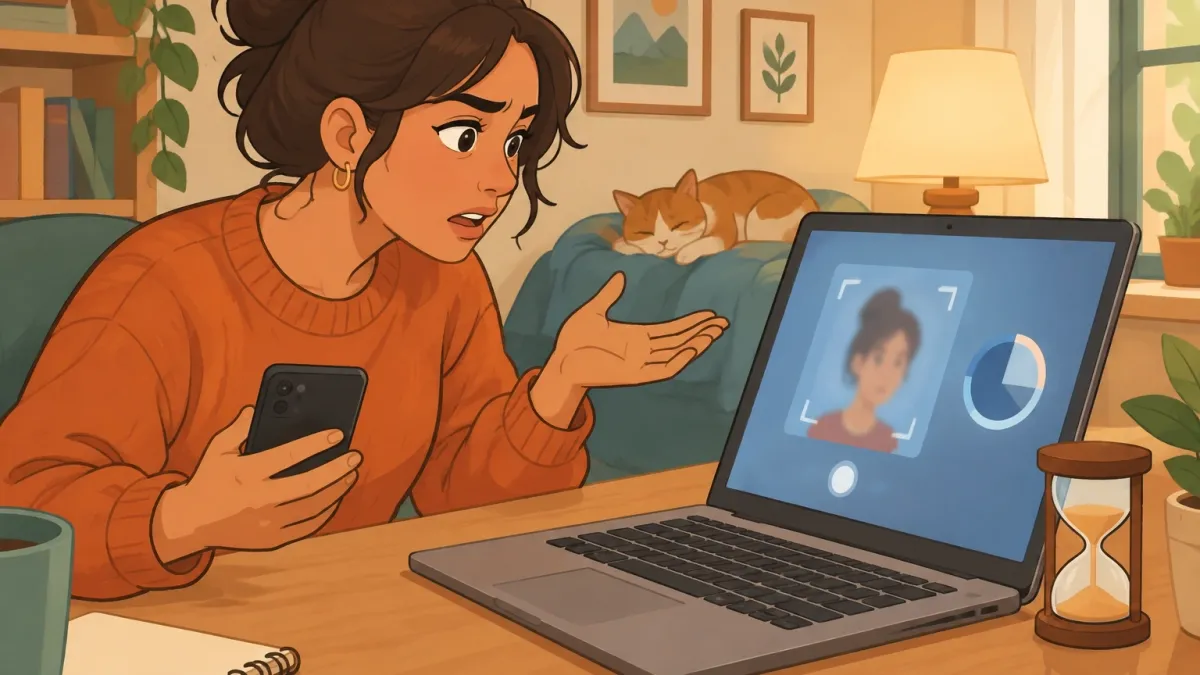
I got the age-verification popup last week, right in the middle of a chat with a character I had been talking to for months. No warning, no countdown.
Just a sudden block asking me to confirm my age with a selfie. It felt invasive at first.
Then I dug into the actual mechanics of Character.AI age verification and limits, and the picture became much clearer. The platform has moved to a strict two-step system.
First, it silently scans your account for signals about how old you are. Second, if it decides you are under 18, you get pushed into a restricted experience with a short daily timer.
Let me break down exactly how this works, what you can do about it, and what it means for your privacy.
The Big Picture — Why Character.AI Restructured Access
Character.AI is under an enormous amount of pressure.
The wave of lawsuits against AI companion platforms, combined with new age-assurance laws rolling out globally, forced the company to change its approach overnight.
The result is that the platform now treats every single account as either under 18 or over 18, and the rules for each group are hard-coded.
This is not just a soft warning or a “please confirm you are an adult” checkbox. The system is automated, and the limits are enforced directly inside the product.
The company made this move to protect itself legally, but it also means that every user, including adults, now has to deal with daily time restrictions.
On top of that, the age checks rely on identity signals that the company does not fully disclose. If you want to keep chatting, you have to accept the system they built.
Age Assurance vs. Age Verification: What's the Difference?
Most people mix up these two terms, but the difference matters. Age assurance is the invisible part. It runs in the background on every account and never asks you for anything.
The system looks at signals like your login patterns, how long you stay on the platform, what kind of characters you interact with, and even third-party data that companies buy from data brokers.
Based on that bundle of signals, it makes a guess about your age.
Age verification is the active part. You only get asked to verify your age if the assurance process flags you as a suspected minor. And even then, the default method is not an ID upload.
It is a selfie. The company uses a third-party provider called Persona to match your face to an age estimate.
Only if Persona fails to confirm you are 18 plus will the system ask for an official ID like a passport or driver’s license.
| Feature | Age Assurance | Age Verification |
|---|---|---|
| How it works | Scans signals passively | Uses a selfie or ID actively |
| When it happens | Always, in the background | Only if you are flagged as under 18 |
| Data required | No extra data from you | Selfie first, ID as a fallback |
| Who sees the data | Character.AI and third-party data brokers | Persona, not Character.AI directly |
The Escalation Ladder — When a Selfie Becomes Mandatory
The process follows a clear escalation path, and knowing it can save you a lot of frustration.
- Passive scan: The system runs age assurance on all accounts.
- Decision point: Based on signals, it decides whether you look under 18.
- Selfie prompt: If you are flagged, you get asked to snap a selfie through Persona.
- ID fallback: If Persona cannot tell your age from the selfie, you get asked for an ID.
- Approval: Once verified, your account moves to the 18 plus experience.
The critical detail here is that selfie is the default. The ID request is rare. If you look young for your age and the selfie fails, then you enter the ID territory.
Nobody at Character.AI ever sees your ID directly. Persona collects it and keeps it only for one week before purging it.
Daily Limits Broken Down: 45 Minutes vs. 2 Hours vs. Grandfathered Accounts
This is the half of the question that confuses everyone. There are two distinct limits, and which one applies to you depends entirely on how the system classifies your account.
- Under 18 classification: You get a strict 45-minute daily limit. When that time runs out, the app cuts off your chat session.
- 18 plus verified classification: You get a 2-hour daily limit. This cap started rolling out immediately for users who are confirmed as adults.
- Grandfathered accounts: Some older accounts that existed before the change might not show the limit right away, but the enforcement still kicks in behind the scenes eventually. There is no permanent free pass.
I tested this myself by watching the timer in my settings. When the cap hits, the platform does not just send you a warning. It ends the conversation.
You cannot send another message until the timer resets. The exact reset logic is not fully documented, which is frustrating.
My countdown timer did not show exactly when the next cycle starts, so I had to guess between a midnight reset and a rolling 24-hour window.
Until Character.AI publishes that detail, you should assume the countdown is a rolling window that tracks the last time you actively chatted.
The feature restrictions are just as important as the time cap.
Users in the under 18 experience cannot access explicit characters, certain suggested messages are filtered out, and voice features are limited.
The 18 plus experience unlocks the full library of characters and unrestricted conversation modes, but it still comes with the 2-hour daily ceiling. There is no way to buy more time.
The cap is a hard stop.
Myth vs. Reality: What You've Heard About C.AI's Age Checks
| Myth | Reality |
|---|---|
| “They will ask for my ID right away.” | False. The default path is a selfie. ID is only a fallback if the selfie scan fails. |
| “They read all my private chats to decide my age.” | Half-true. The official line says login info, activity, and third-party signals. Chat content is not confirmed, but your activity patterns on the platform do factor in. |
| “I am over 18, so this does not affect me.” | Untrue. You still get capped at 2 hours unless you have verified your age. Many adults are skipping the selfie prompt because it feels invasive, which means they are still stuck with the stricter minor experience. |
| “If I delete my account and start over, the limit goes away.” | False. Age assurance uses device signals and fingerprinting. A new account on the same phone will still pull up the same flags. |
| “The limits are just a soft warning that I can click through.” | Partially false. The enforcement criteria are opaque. You will get cut off mid-message when the timer expires. |
What Happens in Weird Situations? (The Edge Cases)
The edge cases are where the system falls apart. I have seen dozens of reports from users in strange situations, and the experience is rarely smooth.
“I look young but I’m actually in my thirties”
This is the most common complaint. The selfie scan fails because the AI guesses an age lower than 18, and you get pushed into the minor experience. The only way out is to escalate to the ID process.
It works, but you have to be willing to hand over a government-issued document to Persona. If you refuse, you are stuck with the 45-minute limit permanently.
“I already gave my birthday at signup”
Self-declared birthdays do not count anymore. The system treats your signup date as untrusted information because people lie about it all the time.
The age assurance process overrides whatever birthdate you typed in.
“I turn 18 next week”
Your account stays in the minor group until the system recognizes your age. When you hit 18, you can migrate to the 18 plus experience. But do not expect it to happen automatically.
You will likely be asked to verify through the selfie process again to prove the birthday is real.
“Can I just make a new account with a fake birthdate?”
You can try, but it will not work for long. The age assurance is tied to your device fingerprint and behavioral signals.
If the system already flagged you once as under 18, a new account on the same device will get flagged again. The platform is not dumb about this.
It knows your habits, your typing rhythm, and the way you navigate the interface.
Your Next Steps Based on Your Age Group
If you are reading this and wondering what to do right now, here is the decision tree.
- If you are under 18 and fine with the minor experience: Do nothing. You stay on the 45-minute limit and use the restricted feature set.
- If you are under 18 and want the 18 plus experience: Not possible. There is no workaround. You need to wait until you legally turn 18.
- If you are 18 plus but have not verified your age: Expect the prompt to appear when the next assurance scan runs. If you proactively complete the selfie verification, you skip the headache of being flagged later.
- If you are a parent of a minor: Character.AI now does the enforcement for you. The 45-minute cap is already active on your kid’s account. You can set additional parental controls through the app settings.
The proactive route is the smart one. I sat on the fence for a while because the selfie request felt like a privacy violation.
But once I got flagged and saw the 45-minute countdown appear, I realized that doing the verification on my own terms was much better than being forced into it later.
The Ethical Grey Area: Does This Actually Protect Minors?
Here is the part that no press release will tell you. The 45-minute cap is a blunt instrument. It does not understand nuance.
It treats every chat session the same way, which means a minor having a serious emotional crisis gets cut off mid-sentence just like a minor who is wasting time.
The feature restriction on explicit characters is a real safety win, but the time cap is more about liability shielding than actual user well-being.
The selfie requirement also raises a question. Platform policies are driving teens toward identity verification just to keep talking to their favorite fictional characters. Is that proportional?
A 10-year-old using Character.AI for homework help and a 17-year-old exploring mature conversations both get the same treatment.
The system is designed to be safe, but it is also designed to be cheap and automated. There is no human in the loop for the initial flag.
The first appeal always goes through the same selfie logic, which means a false positive locks you out of the adult experience until you provide more personal data.
Persona, Selfies, and the Data Trail: Who Sees What?
Let me walk you through exactly what happens to your data, because this is the part that deserves scrutiny. When I triggered the verification flow, I watched the network requests in my browser.
The selfie upload went directly to Persona’s domain, not to Character.AI’s servers. That checks out with their official policy.
Persona is a separate identity verification company that handles the biometric check.
The important detail is what Persona keeps and what Character.AI sees. Persona does not share the actual selfie with Character.AI.
They only send back a result that says something like “age detected: 24.” If you end up in the ID fallback stage, Persona holds onto that ID for exactly one week and then deletes it.
Character.AI never sees the ID file itself.
The murkier part is the third-party signals used in the age assurance step.
These signals come from data brokers that aggregate public records, voter registration data, and even online form submissions. Character.AI does not name the specific brokers it works with.
That lack of transparency is a real concern.
You can submit a deletion request through their support system, and if you live in California, the UK, or the EU, you have stronger legal rights to insist on it.
But outside those regions, you are mostly trusting the platform to handle your data responsibly.
Bottom Line: The Playground Rules Have Changed
Character.AI age verification and limits are now a permanent part of the platform. Nobody is exempt from a daily cap. Nobody is too old to be asked for a selfie.
The system is automated, slightly invasive, and sometimes messy at the edges, but it is not going away.
The 2-hour limit for verified adults feels restrictive, but it is still the more generous tier compared to the 45-minute cap imposed on anyone who refuses to verify.
My advice is simple. If you are an adult, get the verification done early. It only takes a few seconds, and it keeps you from losing access to the full experience later.
If you are under 18, accept the limit for now. The clock is on your side. One day you will turn 18, migrate to the adult tier, and get the longer timer.
Frequently Asked Questions
Can I verify my age with a passport or driving license from the start?
No. The selfie is the default method. There is currently no option in the settings to upload an ID first. The ID request only appears if Persona rejects the selfie attempt.
If you have a device that cannot take a clear selfie, you will have to contact support for a manual review.
What happens to my chat history if the system flags me as under 18?
Your existing chats do not get deleted. The mature conversations are just hidden from your view while you are in the under 18 experience. They stay on the server, but you cannot access them.
This is the quiet part of the migration that nobody talks about. Your history is effectively frozen until you verify as an adult.
Does the 45-minute limit pause when I switch to another app?
Yes, the timer tracks the time you have the app open in the foreground. If you put the app in the background or lock your phone, the countdown pauses.
But Character.AI has not published the exact logic for this, so there is some guesswork involved.
The safest way to test it is to run a stopwatch next to a chat session and see when the session actually cuts off.
Can a human review my age-assurance flag, or is it fully automated?
You can submit a support ticket, but the first appeal always goes through the automated selfie process. There is no human override at the initial flag stage.
If the AI decides you are under 18, you will not get a human review until after you have tried the selfie and the ID fallback. That is the only point where a real person might look at your case.
Can I pay to unlock more time for my child’s account?
No. There is no in-app purchase that removes the time limit. The caps are hard-coded as part of the platform’s liability shield.
The only way to get more time is to wait until the user turns 18 and verifies their identity. This is by design, not a marketing opportunity.